Showing posts with label app review. Show all posts

Monday, October 3, 2016

Tayasui Sketches

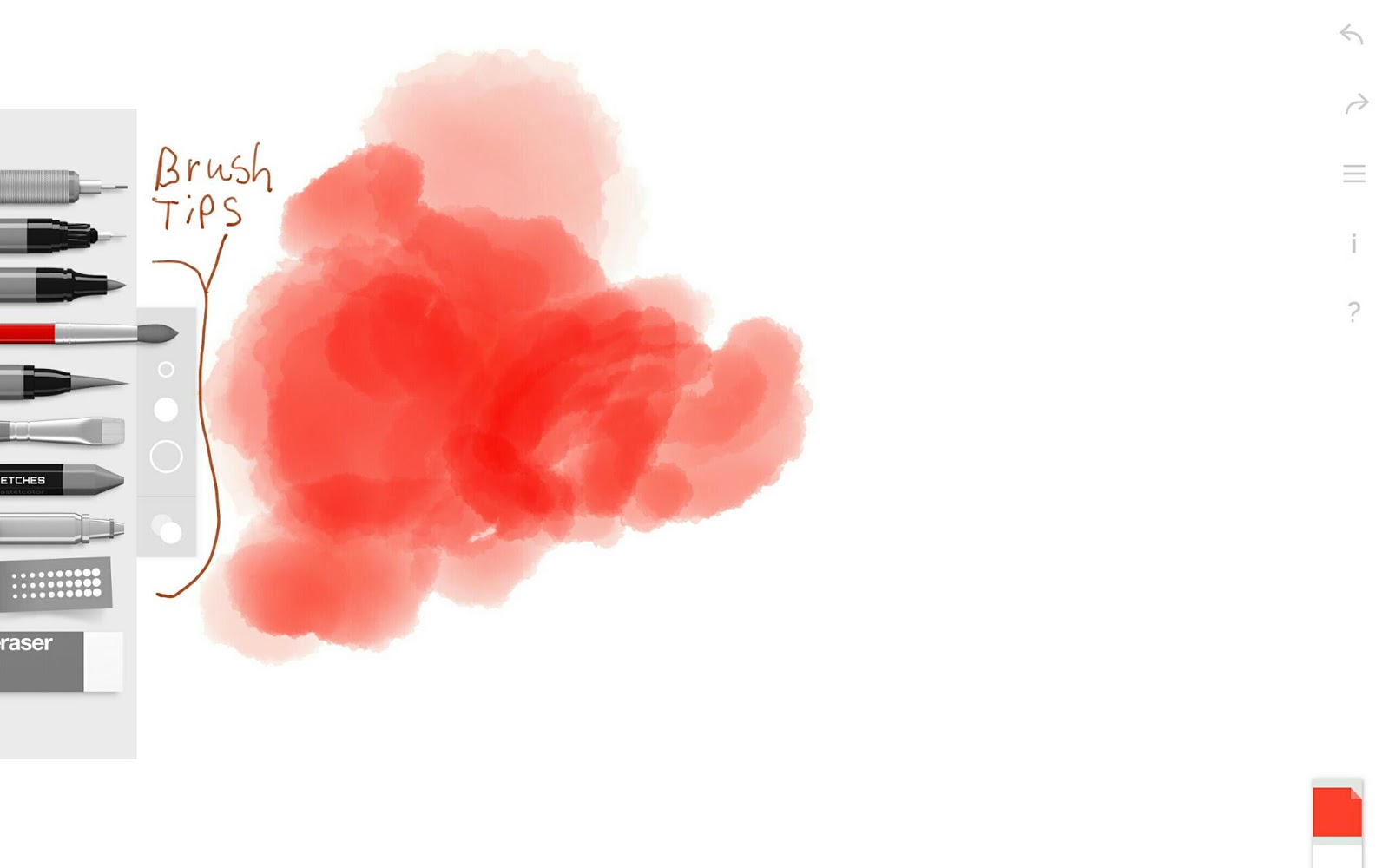
An app that has recently been introduced to Android is Tayasui Sketches. This app has been available for IOS for some time now, but not for Android until recently.  The Android version has ten tools: a mechanical pencil, a pen, a marker, a brush pen, a watercolor brush, a paint brush, an airbush, a crayon, a pattern brush, and an eraser. This app has three layers with merge and multiply functions. You can pinch to zoom in or undo, redo, or pan with two fingers. You can even start a new picture by sliding to the left with three fingers. The brushes have different tips and you can set the size and opacity. When you double tap the eraser, it erases the whole canvas. You can download a free version of this app, but to unlock all the features requires an in app purchase of around $2.15 per item. Overall, this is a very good inking app and you can make some nice pen and ink style drawings with it. I think the IOS version has a recording function, more brushes, and a few more functions than the Android version has.  

Here is the UI.


You can choose the size and shape of the brush tips. Here is an example of the watercolor brushes.

When you double tap a brush you can select the  color picker or use the color bar on the bottom right hand side of your screen.

The pattern pen has lots of different ink-like effects. 
"Apple Blossom Sketch"
by 
Ellie Taylor 

This is a quick sketch that I did of an apple blossom. I like the look of the watercolor and airbrush. I did have some problems with stability on this app. It crashed and froze up on me a few times on my Samsung Galaxy Note Pro 12.2,  so it needs a few more bug fixes. 

Monday, July 4, 2016

Artecture (A Digital Painting App by Samsung)

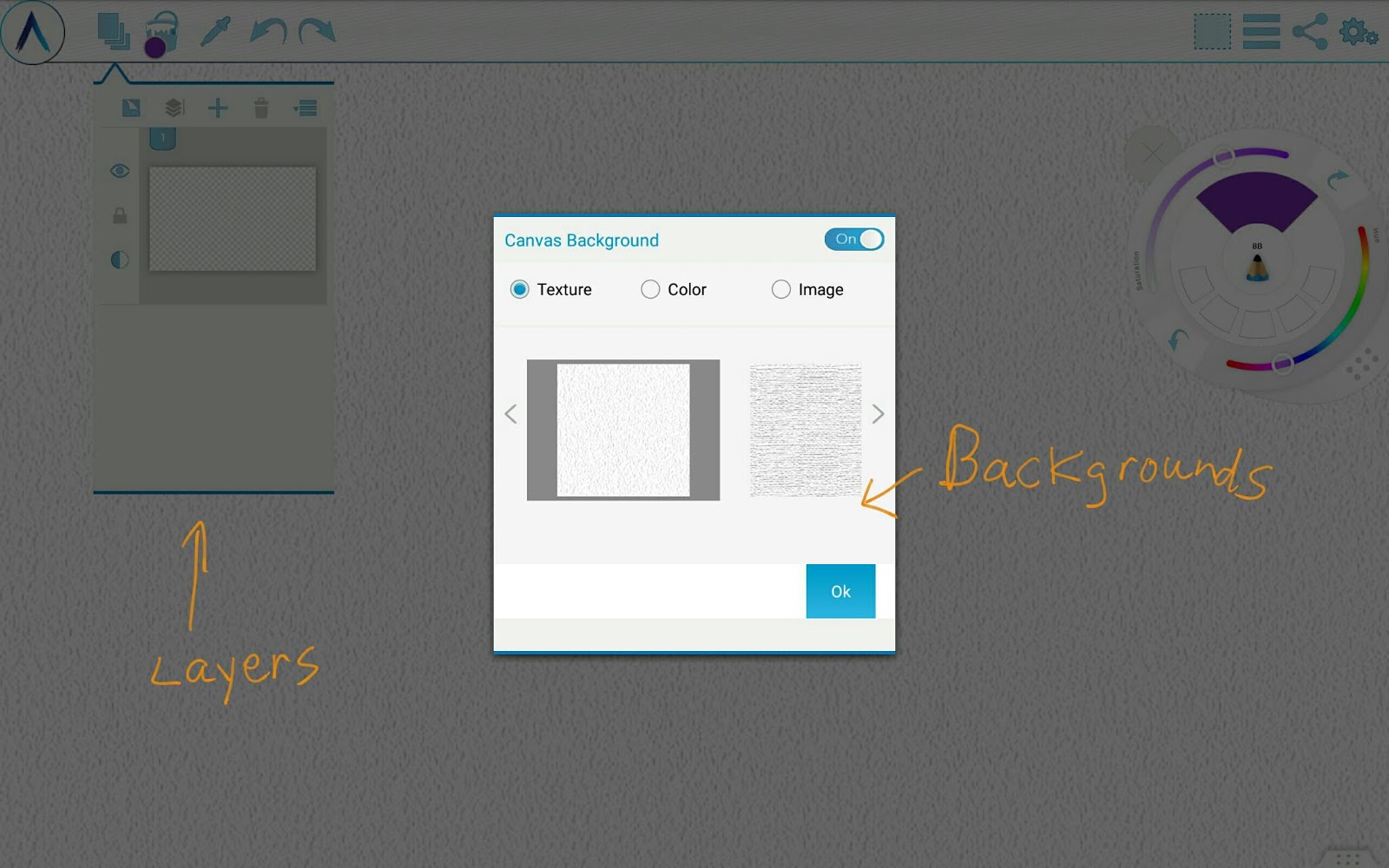
Samsung has a digital painting app called Artecture. This app has around 86 brushes in several different categories including pencils, pens, paintbrushes, airbrushes, stamp brushes, and erasers. The pencil category has several different kinds that mimic different types of pencils, the pens have calligraphy styles etc., the paintbrushes have blending oil brushes, the airbrushes have hard and soft edges, and the stamp brushes have patterns or symbols. This app has quite a few tools including a paint bucket, symmetry tools, shape tools such as circles and squares, a selection tool, a color picker, layers, and blending tools. There is also a trace and import photos function. In the layers function you can pick one of 9 background textures, pick a color, or import a photo. A unique feature of this app is a floating brush tool puck. You can add 4 different brush shortcuts on the puck and adjust the size and opacity with sliders. The color picker is in the center of this puck and you can pick the color using the hue and saturation sliders. If you don't want the floating brush puck, you can close it out. Right now this app is completely free with no in app purchases.

This is the UI for Artecture. The brushes   
are on the bottom tool bar and your current selection is shown in the lower left hand corner. Tap on the current selection to bring up the brush settings menu. You can adjust your settings and save them as a new brush.

There are two color pickers. The main one pops out by tapping on the paint bucket. The shortcut color picker is in the middle of the floating puck and is triggered by tapping on it. This changes the puck into the color picker. 


The backgrounds can be changed through the layers function.


The tool menu contains functions for symmetry, shapes, trace, etc. 


"Sparrow"
I created this painting with the Artecture app on my Samsung Galaxy Note Pro 12.2 tablet. This app has a lot of nice brushes and they give several textured looks. This makes a good natural media look. I think that I would like a little bit better blending function. I struggled with making a smooth blend for the background and decided to leave it with a textured look. Overall, this is a pretty good app with lots of brushes and features.  

Friday, January 22, 2016

The New Sleek and Streamlined Infinite Design.

Infinite Design has undergone a huge revision making it a definite competitor for one of the best inking apps. There are four brush categories in Infinite Design: Ink, Artistic, Sketch, and Techno. It has 30 brushes and they are all in the style of inking brushes. This app is part of Sean Brakefield's Infinite Studios series and has many of the same tools as Infinite Painter including layers, gradients, patterns, perspective guides, special shapes, crop, move tool, symmetry tool, etc. It does have some features that Infinite Painter does not, such as a text tool, vector tools, duplicate tool, offset tool, and infinite canvas. Infinite Design also has an auto shape detection tool and a display outlines function. You can download a limited version for free and purchase all the features as an in app purchase on the Google Play Store. Here is the website for Infinite Studios http://seanbrakefield.com/

You can choose a fixed canvas size or use the infinite canvas setting.

Here is the tool bar. You can move it to the other side or the top of the UI.

Here is the tool menu.

Here are all the pens and ink brushes.

Here is an example of how to use the vector function. You just tap on the drawing in vector mode and a point will be created. Then you can drag each point to adjust your drawing.

Here are the color pickers. You can choose the color wheel or sliders and set up a custom palette.

'Puppy'
For this painting I used the watercolors in Infinite Painter, imported it into Infinite Design and then used the ink pens in Infinite Design to finish the picture.

Monday, September 28, 2015

Sketchbook Pro Revisted

Since my last blog about the Android app, Sketchbook Pro, there have been massive revisions. The app has been totally redesigned. Now it has about 97 brushes and the UI has been changed. Sketchbook Pro still has the floating brush bar, but now you can tap on the menu option and the brush menu will pop out. To pick the color, you tap on the color circle and the color palette pops out. There is also a floating color and brush puck that you can tap on to pop out the same brush and color menus. On this floating puck, pressing on the brush option and sliding to the left or right changes the brush size. Sliding up and down changes the opacity. If you press on the color option and slide up or down it changes the brightness of the color and sliding left or right changes the saturation.
The new tool bar has guides, gradients, a transform tool, symmetry tools, shape tools, a text tool, and a time lapse recording tool. There is a floating layers palette with 18 blending modes and cut, copy, and duplicate functions. You can drag your favorite brushes on to the brush shortcut bar. 
This is a completely new version of Sketchbook Pro and you have to download it again. You can download the basic version for free and you have to buy all the new brushes and tools. The cost is $4.99 or you can subscribe to their desktop version (they no longer offer perpetual licenses for the desktop version) and get all the tools for Android or IOS included in your subscription bundle. The subscription for the desktop version is $29.99 a year.
Overall, I really like the changes to the new Sketchbook Pro Android app and I am especially glad that they added the blending brushes and the time lapse function. 

This is the new UI of Sketchbook Pro for Android.


The new brushes include Synthetic brushes, Smudge brushes, Fine Art Pencils. There are also the Basic, Texture, Shape, Splatter, and Halftone brushes. The Synthetics
and the Smudge brushes are blending brushes like the desktop version has.


This is the new color picker complete with eyedropper and Copic color menu.


Here is the pop-up brush menu from the floating puck.


Here is the pop-up color picker from the floating puck.

'Pearl of Great Price'
I created this painting in the new Sketchbook Pro app for Android. The new Synthetic brushes were very nice and give this picture a nice oil painting look. Prints of this painting are available at http://www.redbubble.com/people/ellietaylorart